Everything Nice Touch does for you
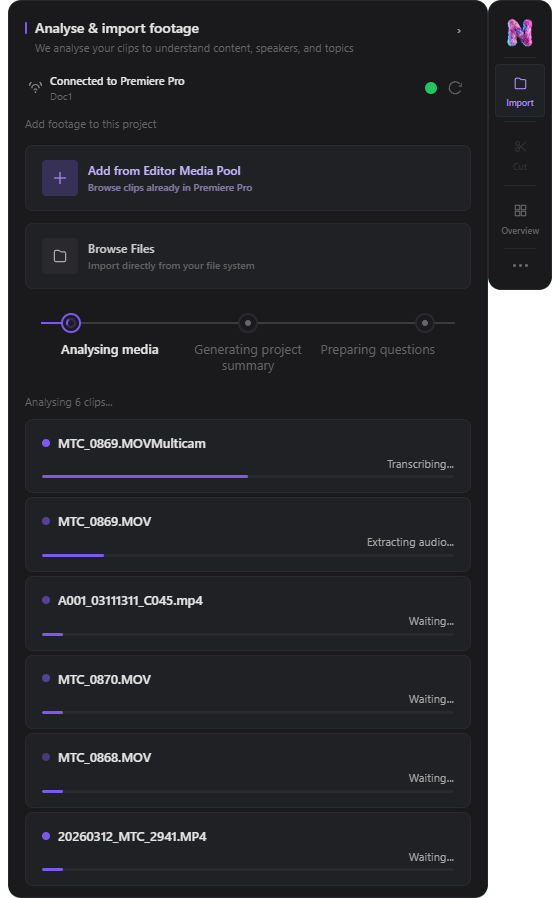
It sits inside DaVinci Resolve and Adobe Premiere Pro, reads your briefs and footage, and takes the repetitive first-pass work off your plate — transcription, string-outs, rough cuts, multicam. The creative calls stay yours.
How it works
What people are saying
“We have hours of footage we used to watch through manually. Nice Touch means we don't have to do that anymore — we're straight to the moments that matter.”
“Nice Touch is my first port of call when I open up a project. It has knowledge about all my assets that I couldn't hold in my head — and it acts on it instantly.”
“The rough cut used to take a full day before we even started making real decisions. Now it takes an hour. That time goes back into the edit where it belongs.”
“Multicam sync was the part of the job I dreaded most. Nice Touch handles the whole thing — by the time I'm in the timeline it's already been done.”
“Having the brief and the transcripts all in one place, searchable, with an assistant that actually understands them — that's changed how we start every project.”
“It works inside Resolve. There's nothing to export, nothing to import. It just sits there and does the work.”
Capabilities
Chat that knows your project
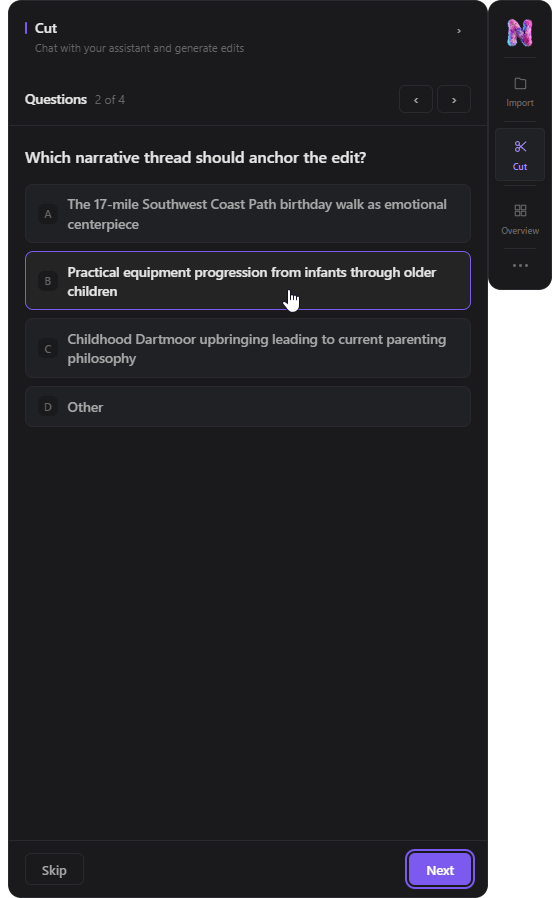
A project-aware assistant that understands your brief, transcripts, and timeline. Ask it to find moments, explain decisions, or plan an edit — in plain language.
Rough cut generation
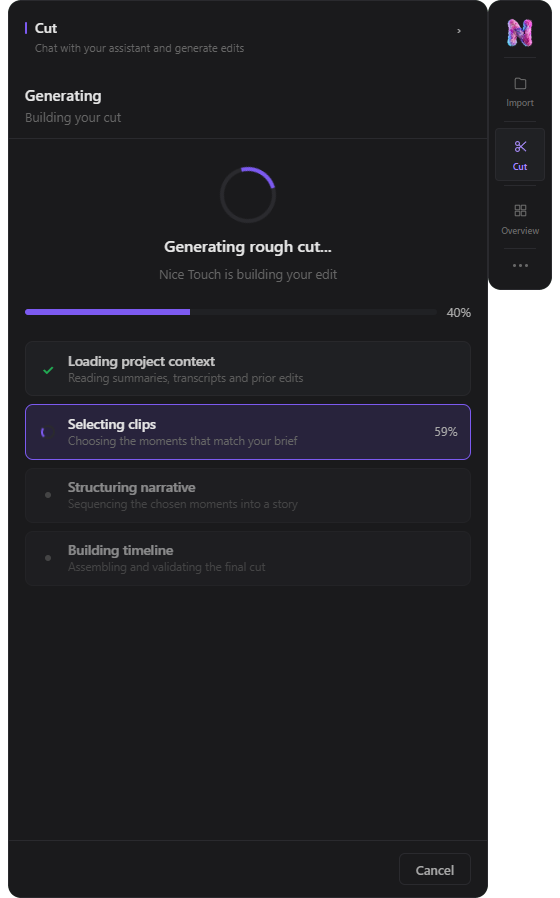
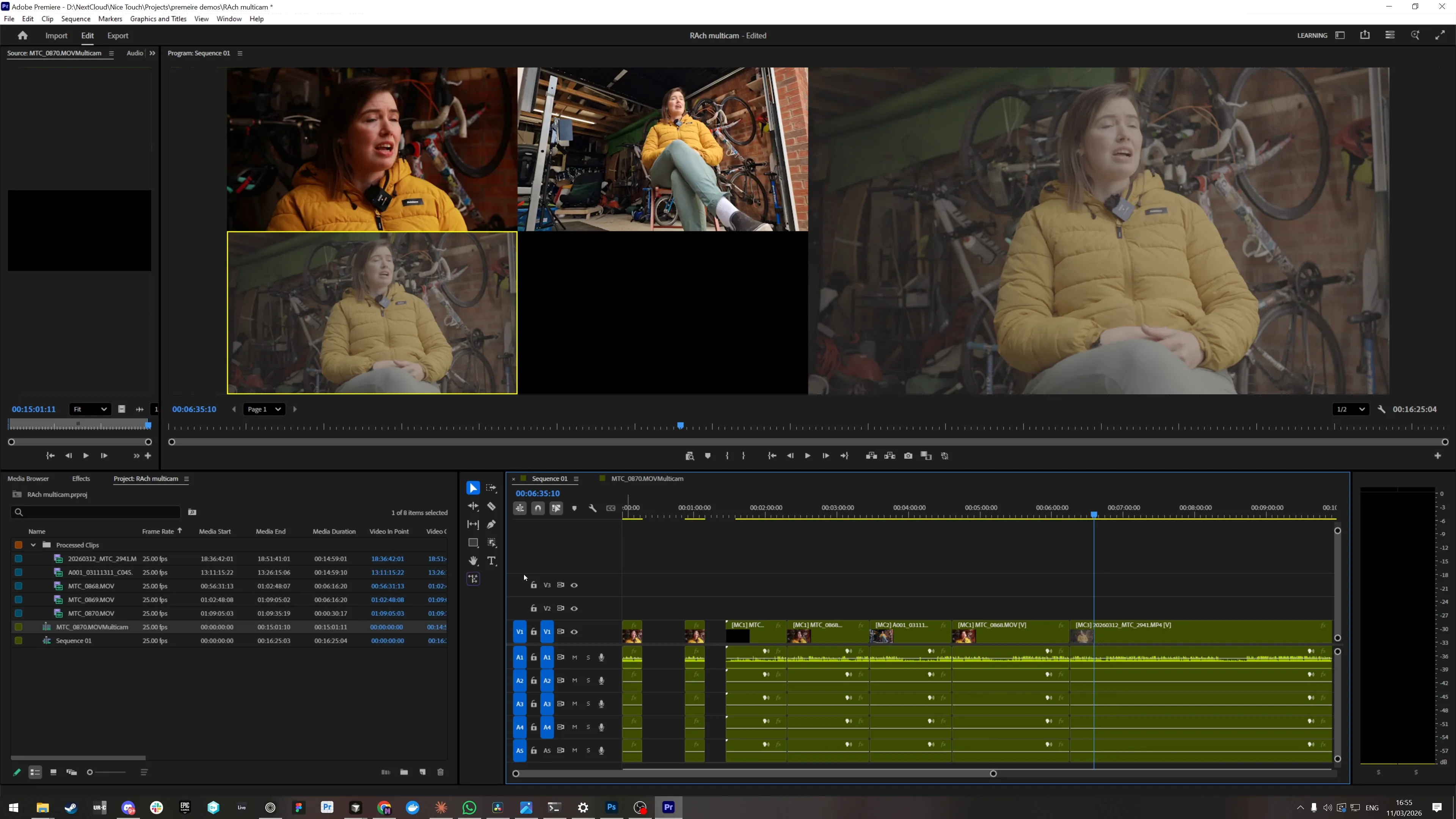
Ask Nice Touch to build a rough cut from your footage. It uses your brief and transcript to select and order moments, then builds a timeline directly inside Resolve or Premiere.
Transcript analysis
Accurate word-level audio transcription. Every spoken moment is timestamped and searchable.
Timeline actions
Execute editing operations directly inside Resolve or Premiere without leaving the Nice Touch interface. No file moving, no round-tripping.
Project memory
Briefs, notes, transcripts, and reference documents are stored as usable project context. The assistant draws on this across the entire project lifecycle.
Multicam support
Nice Touch handles the full lifecycle of multicam editing — import, audio source selection, transcription, and rough cut generation — inside Resolve and Premiere.
Asset management
Manage video, audio, and multicam assets with a structured library. Assets are linked to projects and analysed on demand.
Frequently asked questions
Nice Touch runs alongside DaVinci Resolve and Adobe Premiere Pro on macOS and Windows. It reads your open project and writes edit-ready timelines back into the same NLE — there is nothing to export, and no round-tripping between tools.
The assistant works from your project context, not a blank template. It draws on the briefs, notes, and reference links you upload, plus a word-level transcript of your footage, to select and order the moments that matter. It then assembles a timeline directly inside Resolve or Premiere for you to review and refine.
Audio is transcribed with word-level timestamps, so every spoken moment is searchable and the assistant can reference exact ranges when it builds or restructures a sequence.
No. Nice Touch handles the repetitive, time-consuming parts of post — transcription, structure, and rough-cut assembly — while every edit stays reviewable and adjustable. The editor keeps creative control from start to finish.
Yes. Multicam is a first-class capability, available on Pro plans and above. Nice Touch imports synced multicam footage, scores the available audio sources, maps video coverage, and builds the rough cut in place.
Ready to see Nice Touch in action?